

Key Takeaways
- Wired (Ethernet) connections generally deliver faster, more consistent speeds than Wi-Fi.
- Wi-Fi offers flexibility and convenience but is more susceptible to interference and signal loss.
- Most homes benefit from a hybrid approach: Ethernet for stationary, demanding devices and Wi-Fi for mobile ones.
- Installation effort and cost differ significantly between the two options.
- Security practices matter for both connection types, but wireless networks require extra attention.
Our Verdict
Neither wired nor wireless networking is universally superior - they serve different roles. Ethernet excels where raw speed, stability, and low latency matter most, while Wi-Fi wins on convenience and device flexibility. For most households, using both together rather than choosing one exclusively is the most practical approach.
| Best for | Recommended |
|---|---|
| Gamers, remote workers, and video streamers who need rock-solid performance | Wired (Ethernet) |
| Smartphones, tablets, and any device that moves around the home | Wireless (Wi-Fi) |
| Those who want a straightforward setup without running cables | Wireless (Wi-Fi) |
| Households with a mix of stationary and mobile devices | Hybrid (Ethernet + Wi-Fi) |
How Each Connection Type Works
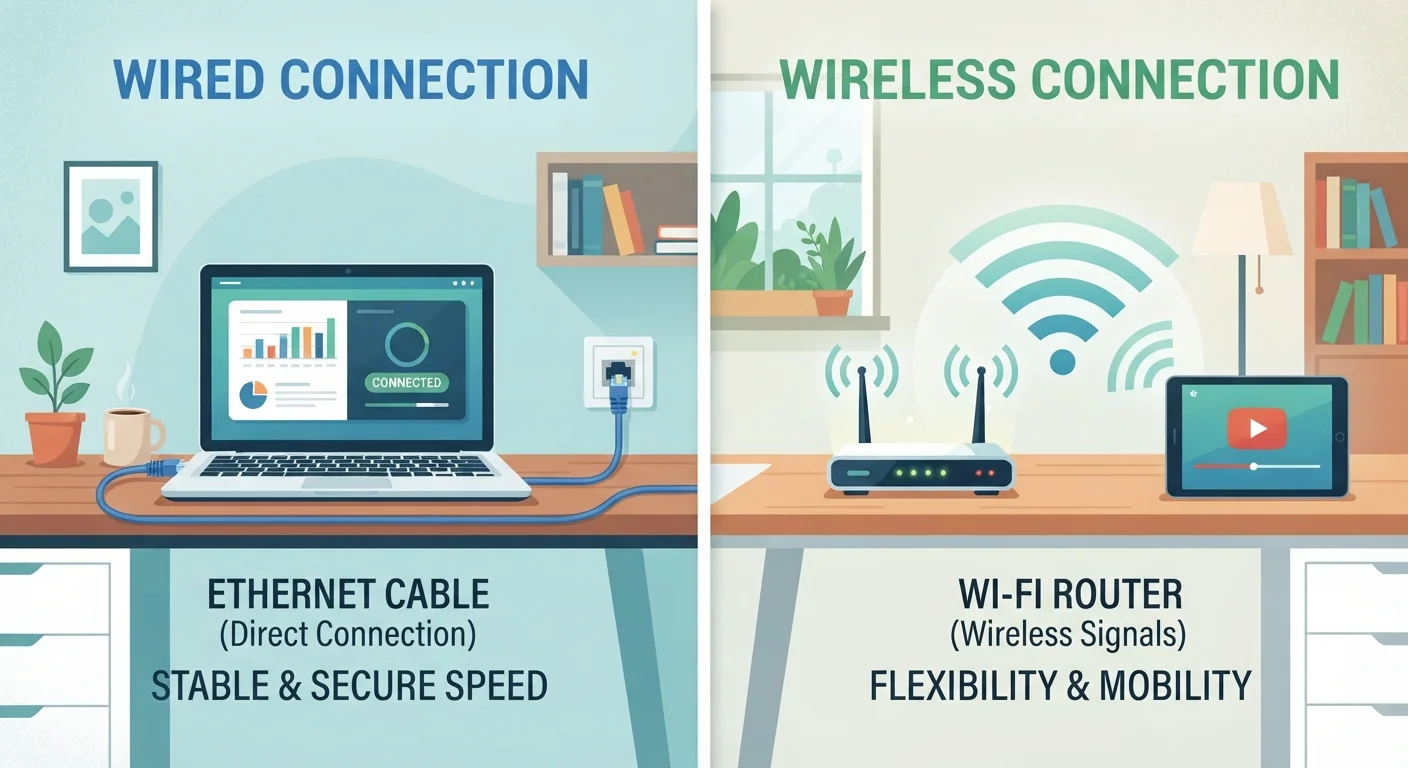
A wired network uses physical Ethernet cables - typically Cat5e, Cat6, or Cat6a - to connect devices directly to a router or network switch. Data travels along copper wires, producing a direct, dedicated path between your device and the internet.
A wireless network (Wi-Fi) transmits data as radio waves across one or more frequency bands - most commonly 2.4 GHz and 5 GHz, with newer routers also supporting 6 GHz. Devices connect without any physical tether, which is why Wi-Fi has become the default for smartphones, tablets, and laptops. For a deeper look at how Wi-Fi behaves across your home, see our guide to what every room really needs.
Understanding these fundamental differences explains most of the trade-offs below.
Speed, Latency, and Reliability Compared
Ethernet connections are generally faster and more consistent. A Cat6 cable can support speeds up to 10 Gbps over short runs, and even older Cat5e handles up to 1 Gbps - more than enough for most home internet plans. Crucially, wired connections don't fluctuate: you get the same throughput at 2 a.m. or during peak hours.
Wi-Fi speeds vary considerably based on distance from the router, physical obstructions (walls, floors, appliances), and radio frequency congestion from neighboring networks. The theoretical maximums advertised on routers are rarely achievable in real-world conditions. Our article on common myths about home Wi-Fi speed unpacks why those headline numbers can mislead.
Latency - the delay between sending and receiving data - is typically lower over Ethernet, which matters for online gaming and video calls. Wi-Fi latency is usually acceptable for most tasks but can spike unpredictably under interference or heavy load.
| Wired (Ethernet) | Wireless (Wi-Fi) | |
|---|---|---|
| Typical Speed | Up to 1-10 Gbps (stable) | Varies; rarely matches theoretical max |
| Latency | Low and consistent | Generally low; can spike under load |
| Reliability | Very high; not affected by interference | Moderate; affected by walls and congestion |
| Setup Difficulty | Moderate to high; cable routing required | Low; plug-and-play for most routers |
| Device Mobility | None; device must stay plugged in | Full; works anywhere in range |
| Security | Harder to intercept; physical access needed | Requires strong encryption and good habits |
| Cost | Low hardware cost; installation may add up | Varies widely; may need extenders for coverage |
Installation Effort and Cost
Wi-Fi setup is comparatively simple: plug in a router, create a network name and password, and most devices connect automatically. There's no cable routing involved, making it accessible for renters or anyone who wants a quick setup.
Ethernet installation requires running physical cables - through walls, under floors, or along baseboards. This can range from a simple desk-side run to a full structured wiring project involving wall plates and a network switch. If cable management is a concern, our cable management guide for tech-heavy homes offers practical approaches without a full renovation.
Consider a Hybrid Setup First
Before committing to one approach, map out which devices in your home stay stationary and which ones move around. Wiring just two or three high-demand devices - like a gaming console or desktop - can noticeably improve your network without a whole-home cabling project. The rest of your devices can remain on Wi-Fi without sacrificing much.
The hardware cost difference is modest: Ethernet cables and a basic switch are inexpensive, but professional installation adds up. Wi-Fi routers capable of covering a typical home are available across a wide price range, though larger homes or layouts with dead zones may require additional equipment like mesh nodes or extenders.
Security Considerations
Wired connections are inherently harder to intercept - an attacker would need physical access to your cable or network hardware. That makes Ethernet somewhat more secure by default for sensitive tasks.
Wi-Fi signals radiate beyond your walls, making them accessible to anyone nearby. That doesn't mean Wi-Fi is unsafe - modern WPA3 encryption is robust - but it does mean security practices matter more. Strong, unique passwords, firmware updates, and a separate guest network for visitors are all worthwhile habits. Our article on securing your home network covers the practices that make a real difference.
Regardless of connection type, your router is the gatekeeper for every device in your home. Understanding what your router does all day can help you make smarter decisions about both security and performance.
Which Devices Belong on Which Connection
Not every device in your home needs Ethernet, and not every device is well-suited to Wi-Fi. A practical split looks like this:
- Ethernet candidates: desktop computers, gaming consoles, smart TVs, network-attached storage (NAS) drives, and any device that stays in one place and handles heavy data loads.
- Wi-Fi candidates: smartphones, tablets, laptops used around the home, smart home sensors, voice assistants, and any device that moves.
If your Wi-Fi coverage has gaps, a mesh system may be worth considering before running cables everywhere. Our comparison of mesh networks vs. Wi-Fi extenders walks through which approach suits different home layouts. Also, if unexplained slowdowns affect wired or wireless devices alike, hidden bottlenecks are often the culprit - see our piece on overlooked factors that slow down home networks for what most people miss.