

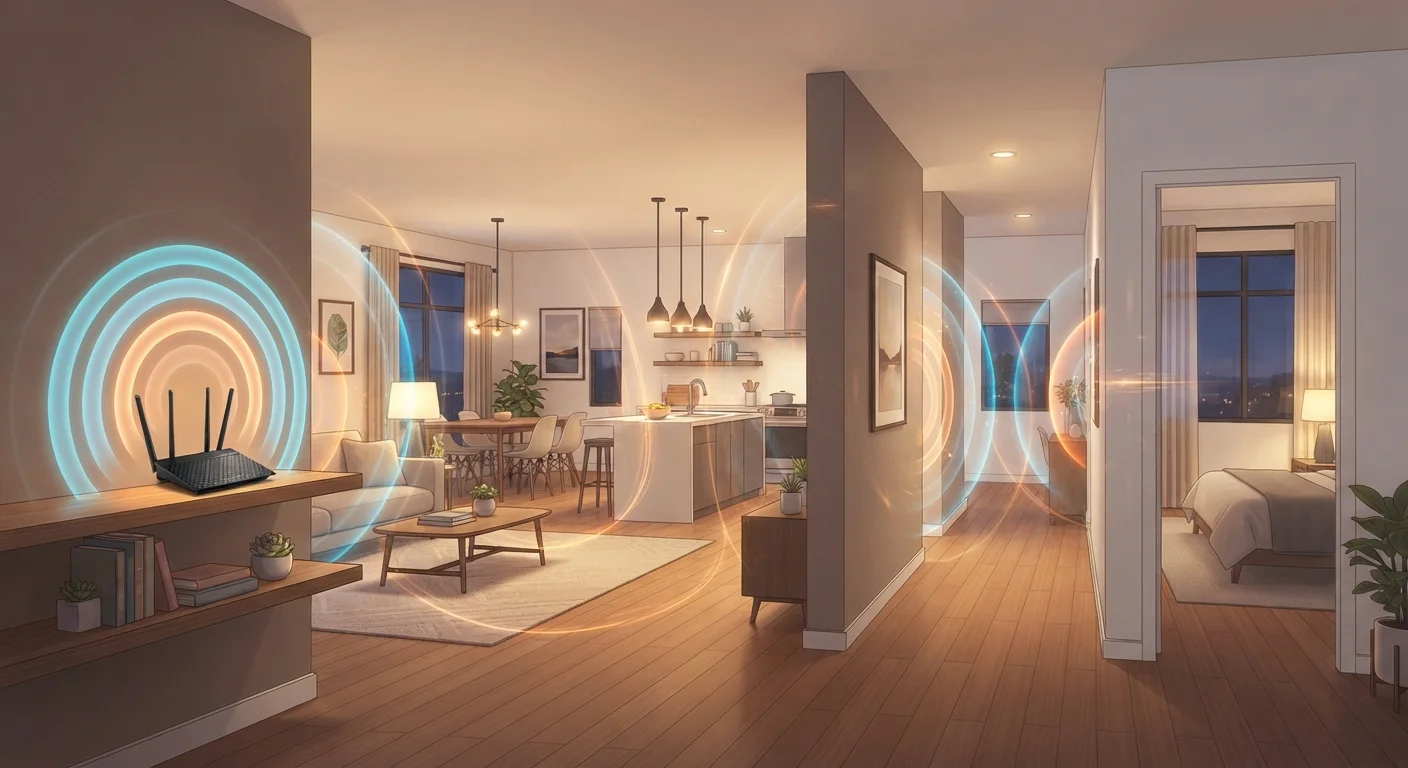
Key Takeaways
- Wi-Fi signals weaken as they pass through walls, floors, and other obstacles.
- The 2.4 GHz band travels farther but carries less data; 5 GHz is faster at shorter range.
- Router placement significantly affects how evenly coverage is distributed throughout a home.
- More connected devices sharing a network can reduce available bandwidth for each one.
- Dead zones are common in larger homes and can be addressed with additional access points or mesh systems.
Home Wi-Fi Network
A home Wi-Fi network is a wireless system that connects your devices - phones, laptops, smart TVs, and more - to the internet and to each other through a router. The router receives your internet connection from a modem and broadcasts it as a radio signal that devices pick up wirelessly. Coverage, speed, and reliability vary depending on your home's layout, materials, and the number of connected devices.
Home Wi-Fi operates on two primary radio frequency bands: 2.4 GHz and 5 GHz (and 6 GHz on Wi-Fi 6E-capable hardware). Each band has different trade-offs between range and throughput.
How Wi-Fi Actually Works in Your Home
Your home Wi-Fi network starts at the router - a device that receives your internet connection and rebroadcasts it as radio waves. Every Wi-Fi-enabled device in range can tune into those waves, much like a radio picking up a station. The catch is that radio signals weaken over distance and are disrupted by physical objects along the way.
Most home routers transmit on two bands simultaneously: 2.4 GHz and 5 GHz. The 2.4 GHz band covers more ground but maxes out at lower data speeds. The 5 GHz band delivers faster speeds but fades more quickly and struggles more with obstacles. A newer standard, Wi-Fi 6E, adds a 6 GHz band for even faster short-range performance, though it requires compatible hardware on both the router and device side. For a deeper look at what your router is managing behind the scenes, see what your router actually does all day.
Start With Router Placement Before Buying New Hardware
Many coverage problems can be reduced simply by moving your router to a more central location in the home. Before investing in extenders or new equipment, try repositioning your router to an open, elevated spot and see how much the coverage improves. It costs nothing and often makes a noticeable difference.
Why Signal Drops From Room to Room
Signal degradation is the single biggest reason Wi-Fi feels inconsistent in different parts of a home. Every barrier a signal passes through absorbs some of its energy. Common culprits include:
- Walls - Drywall has minimal impact; brick, concrete, and stone are far more disruptive.
- Floors and ceilings - Multi-story homes see significant signal loss between levels.
- Metal objects - Appliances, filing cabinets, and even HVAC ductwork can reflect and scatter signals.
- Distance - Signal strength drops sharply the farther a device is from the router.
- Interference - Neighboring Wi-Fi networks, microwaves, and cordless phones can compete on overlapping frequencies.
This is why identical routers can produce very different experiences depending on the home. Layout and construction materials matter as much as the hardware itself. For a full list of less obvious causes, see our article on overlooked factors that quietly slow down a home network.
Wi-Fi Speed and Internet Speed Are Not the Same
Your Wi-Fi network's speed - how fast data moves between your router and your devices - is separate from your internet plan's speed. A fast router won't compensate for a slow internet connection, and a slow router can bottleneck even a fast internet plan. Understanding which link in the chain is limiting performance helps you address the right problem.
What Each Room in Your Home Actually Needs
Not every room demands the same from your Wi-Fi network. Thinking about what devices are used where helps you plan coverage more practically:
- Living room and home office
- These spaces often host the most data-intensive activity - video streaming, video calls, and large downloads. Strong, stable signal matters most here. A wired Ethernet connection is worth considering for desktop computers or smart TVs used heavily. See our comparison of wired and wireless home networks for more on this trade-off.
- Bedrooms
- Typically used for light browsing, music streaming, or smart device control. These rooms can usually function well on moderate signal strength.
- Kitchen
- Smart appliances, tablets, and voice assistants are common here. The 2.4 GHz band often serves these devices well since they don't require high throughput.
- Garage, basement, or backyard
- These areas are the most likely to experience dead zones. Thick concrete walls and greater distances from the router compound the problem. An access point or outdoor-rated Wi-Fi node may be necessary.
~1,500 sq ft
Typical single-router coverage limit
Network hardware manufacturers generally rate consumer routers as effective up to around 1,500 square feet under ideal, open conditions; real-world coverage in walled homes is typically lower.
25 Mbps
FCC minimum broadband definition (download)
The U.S. Federal Communications Commission defines broadband as a connection delivering at least 25 Mbps download and 3 Mbps upload, though many streaming and video-call applications recommend higher speeds.
~50%
Signal loss through a single concrete wall
Radio frequency engineering studies indicate that a solid concrete wall can reduce Wi-Fi signal strength by approximately half or more, depending on wall thickness and frequency band.
Router Placement and When One Router Isn't Enough
Where you place your router has an outsized effect on how evenly your home receives coverage. A central, elevated location - on a shelf in a main hallway, for example - distributes the signal more evenly than a router tucked in a corner or hidden inside a closet. Keeping the router away from other electronics and out in the open helps, too.
For homes larger than roughly 1,500 square feet, or for any multi-story layout, a single router often can't deliver consistent coverage everywhere. This is where additional hardware becomes genuinely useful. Mesh networks and Wi-Fi extenders each address dead zones differently, and the right choice depends on your home's specific layout and how many devices you're supporting.
It's also worth noting that Wi-Fi speed and internet plan speed are separate things. Your router could handle fast local speeds, but if your internet service plan is slow, every device will feel that ceiling. Separating these two factors - home network performance versus ISP performance - helps you diagnose problems accurately. For a broader setup overview, the complete home network setup guide covers the full picture from router selection to security.