

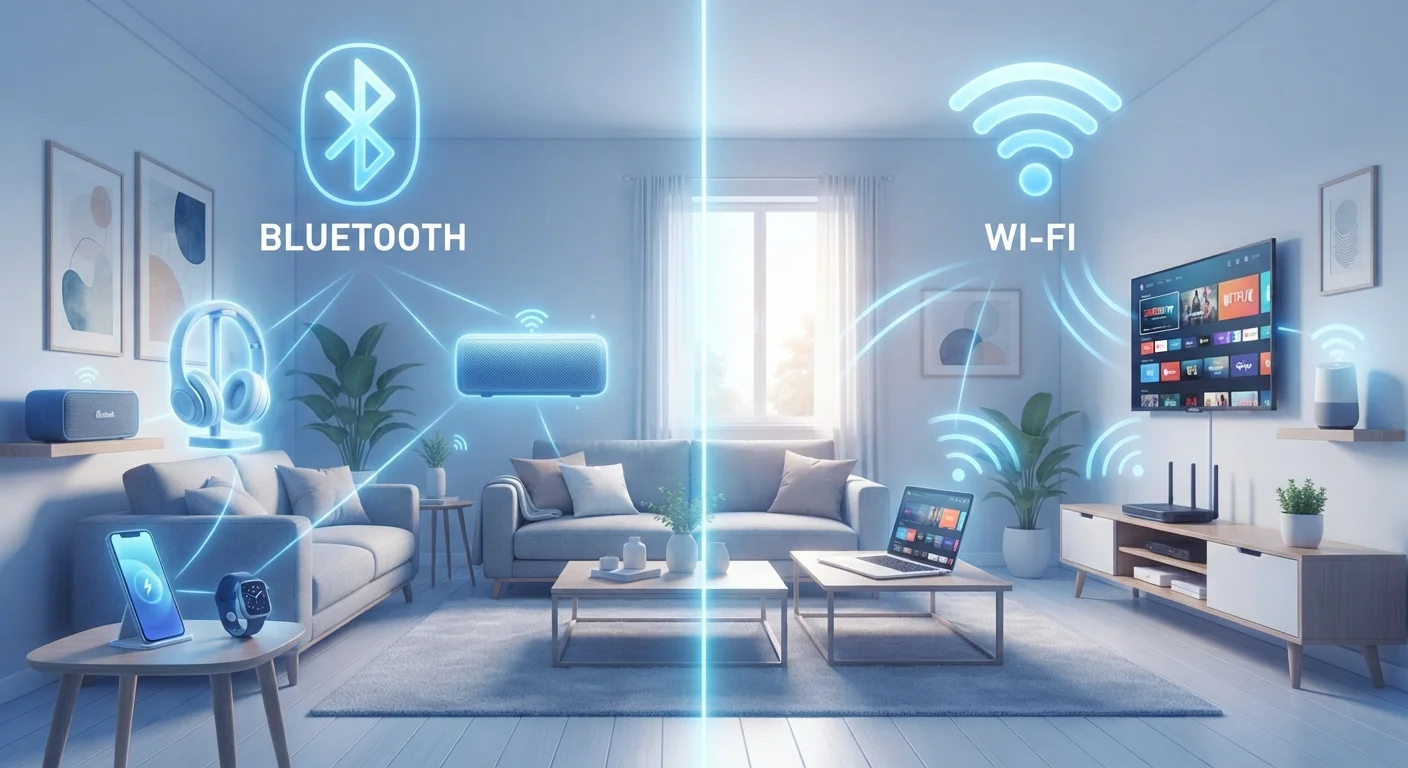
Key Takeaways
- Bluetooth is designed for short-range, device-to-device connections with minimal power draw.
- Wi-Fi connects devices to a network (and the internet) at much higher speeds over longer distances.
- Both technologies share the 2.4 GHz radio band, which can cause interference when both are active.
- Bluetooth requires no router or access point - Wi-Fi always does.
- Choosing the right technology depends on what you're connecting, not just whether you want to go wireless.
Option A
Bluetooth
The short-range, low-power personal connector.
Best for: Linking personal devices directly to each other - headphones, keyboards, speakers, and wearables - within about 30 feet.
Option B
Wi-Fi
The high-speed gateway to the internet and home network.
Best for: Streaming video, browsing the web, and connecting multiple devices through a central router across a full home.
If you want to connect headphones, earbuds, or a speaker to your phone
Bluetooth
Bluetooth is purpose-built for this. It uses little battery, needs no router, and pairs directly between two devices within a short range.
If you want to stream 4K video or join a video call from your laptop
Wi-Fi
Wi-Fi delivers the high throughput and internet access these tasks demand - Bluetooth's bandwidth is far too limited for sustained streaming.
If you're setting up a smart home device like a thermostat or security camera
Wi-Fi
Most smart home devices that need regular cloud connectivity - cameras, video doorbells, smart TVs - rely on Wi-Fi for reliable, high-bandwidth access.
If you want to share files or audio between two phones without any internet
Bluetooth
Bluetooth works peer-to-peer with no network needed, making it ideal for small transfers, audio sharing, or pairing when no router is nearby.
What Each Technology Is Actually Doing
Bluetooth and Wi-Fi are both radio-based wireless technologies, but they were designed with completely different goals in mind. Understanding those goals is the fastest way to make sense of your devices.
Bluetooth is a short-range radio protocol built for direct, device-to-device communication. When your phone connects to a wireless speaker, no router is involved - the two devices negotiate their own private radio link. Bluetooth typically operates within roughly 30 feet (about 10 meters) for standard devices, though newer versions can reach further. It's engineered to consume very little power, which is why your earbuds can run for hours on a tiny battery.
Wi-Fi is a network technology. Your laptop or phone doesn't connect directly to another device - it connects to a router, which then connects to the internet or the rest of your home network. Wi-Fi is built for speed and range: modern Wi-Fi can move data at hundreds of megabits per second across an entire house. That performance comes with a cost: routers draw constant power, and Wi-Fi radios in your devices use significantly more energy than Bluetooth.
| Criterion | Bluetooth | Wi-Fi |
|---|---|---|
| Primary purpose | Device-to-device pairing | Network and internet access |
| Typical range | ~30 feet (10 m) | Up to 150+ feet indoors |
| Data speed | Up to ~3 Mbps (classic); ~50 Mbps (BT 5) | Hundreds of Mbps to several Gbps |
| Power consumption | Very low | Moderate to high |
| Requires a router? | No | Yes |
| Frequency band | 2.4 GHz only | 2.4 GHz and/or 5 GHz (6 GHz on Wi-Fi 6E) |
| Common uses | Headphones, keyboards, wearables | Streaming, browsing, smart home cameras |
Where They Overlap - and Why That Can Cause Problems
Both Bluetooth and Wi-Fi use the 2.4 GHz radio frequency band, which is unlicensed and free to use - but that means they're competing for the same airspace. If you've ever noticed your Bluetooth speaker stuttering while your phone is downloading a large file over Wi-Fi, this overlap may be the culprit.
Modern Wi-Fi standards (Wi-Fi 5 and Wi-Fi 6) have largely moved heavier traffic to the 5 GHz band, which Bluetooth doesn't use. This has reduced the interference problem considerably, but older routers or networks crowded with 2.4 GHz devices can still experience it. If interference is a concern in your home, our guide to home Wi-Fi coverage explains how to think about frequency bands and placement in detail.
Bluetooth Versions Matter Too
Not all Bluetooth is equal. Bluetooth 5.0 and later versions offer significantly improved range and speed compared to older versions. Low Energy (LE) variants, used in fitness trackers and many IoT sensors, trade even lower data rates for dramatically reduced battery consumption. Your device's spec sheet will usually note which version it uses.
It's also worth noting that Wi-Fi and Bluetooth can coexist on the same device simultaneously - your phone is almost certainly doing both right now. Modern chipsets are designed to manage this gracefully.
Real-World Jobs: Matching the Technology to the Task
The simplest rule: Bluetooth is for your personal device bubble; Wi-Fi is for the internet and your home network.
- Headphones, earbuds, keyboards, mice, fitness trackers: Bluetooth. These devices live close to you, need minimal data throughput, and benefit from low power draw. For a deeper look at how wireless connections affect audio specifically, see our piece on wired vs. wireless earbuds.
- Streaming, browsing, video calls, smart home cameras: Wi-Fi. These tasks require substantial, sustained bandwidth and internet access that only a router connection can provide.
- Transferring a photo to someone nearby: Either can work, though Bluetooth requires no network and is commonly used for small, quick transfers.
One area where confusion is common: smart home devices. Some low-power sensors - door locks, temperature sensors - use Bluetooth (or Zigbee, a related protocol). But cameras, displays, and voice assistants almost always require Wi-Fi because of their data demands.
~30 ft
Typical Bluetooth reliable range
Standard Bluetooth operates reliably within about 10 meters (33 feet), though Bluetooth 5 can reach up to 400 meters in ideal, open-air conditions.
9.7 billion
Wi-Fi enabled devices in use globally
According to the Wi-Fi Alliance, the number of Wi-Fi enabled devices in use worldwide has grown to nearly 10 billion, reflecting its role as the primary home connectivity technology.
If you frequently use public networks with Wi-Fi-connected devices, it's worth understanding the security landscape. Our article on public Wi-Fi risks covers what to watch out for and when the trade-off is reasonable.