

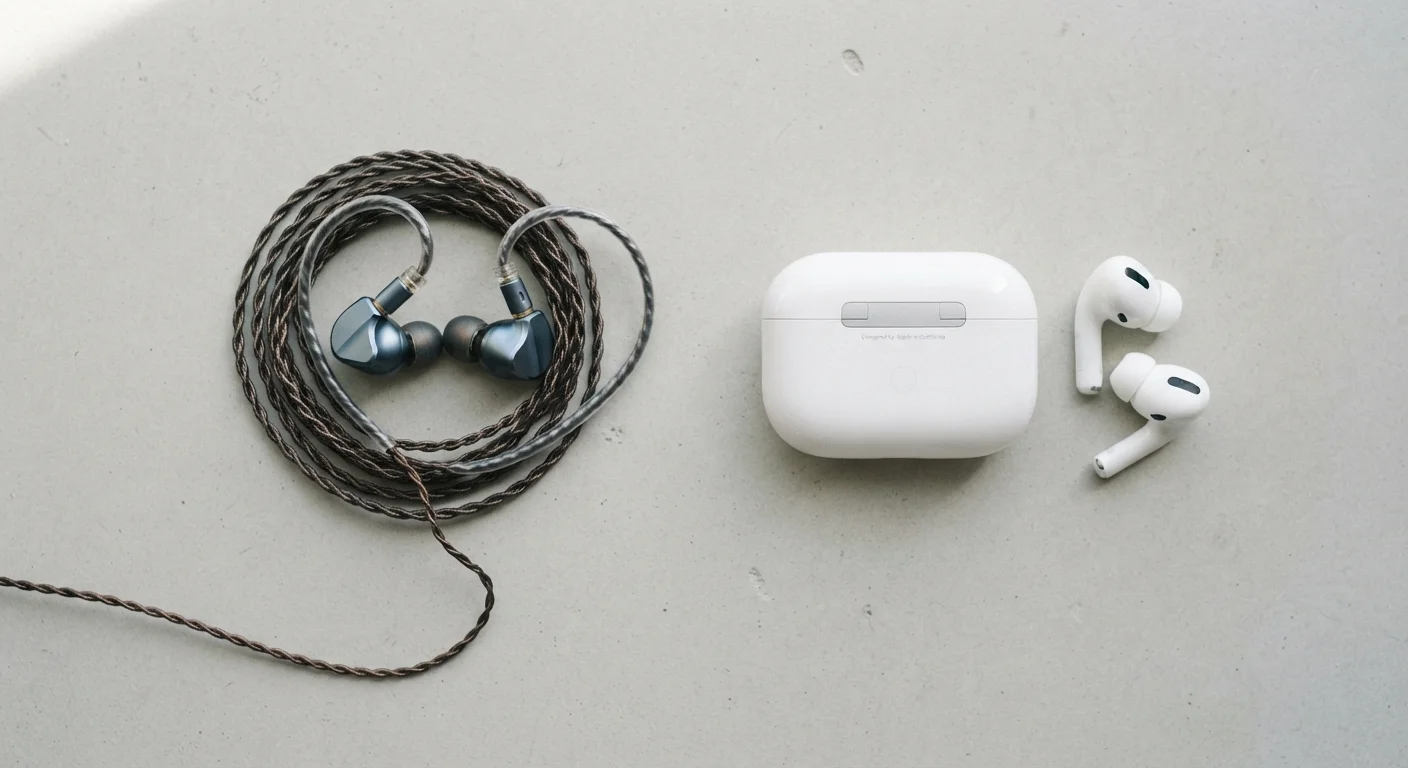
Key Takeaways
- Wireless earbuds compress audio before transmitting it; wired earbuds pass the signal through without that step.
- Bluetooth introduces measurable latency that matters most for gaming and video calls, less so for music.
- Wired earbuds draw power from your device; wireless earbuds carry their own battery that depletes and must be recharged.
- Wireless earbuds are vulnerable to interference from crowded radio environments; wired connections are not.
- Neither type is universally superior - the right choice depends on how and where you use them.
Option A
Wired Earbuds
The reliable, low-latency standard that needs no battery.
Best for: Listeners who prioritize audio consistency, use earbuds for calls or gaming, or prefer zero charging obligations.
Option B
Wireless Earbuds
The cable-free convenience option built on Bluetooth technology.
Best for: Active users, commuters, and anyone who values freedom of movement over absolute audio fidelity.
If you use earbuds while gaming or on frequent video calls
Wired Earbuds
The direct connection keeps audio latency low enough that sound stays in sync with what's happening on screen or in conversation, without any Bluetooth delay.
If you commute, exercise, or move around frequently
Wireless Earbuds
No cable to snag or tangle means genuinely hands-free listening, which is a practical advantage in motion-heavy daily routines.
If you want to listen for extended hours without managing battery life
Wired Earbuds
With no onboard battery, wired earbuds work as long as your device does - no mid-session charge interruptions.
If audio portability and a clean carry setup matter to you
Wireless Earbuds
The charging case doubles as storage and keeps earbuds protected, making them easier to transport without tangling.
How the Signal Actually Travels
The core difference between wired and wireless earbuds isn't just the absence of a cable - it's about how audio information moves from your device to your ears.
With wired earbuds, the audio signal travels as an analog electrical signal (via a traditional 3.5mm jack) or as a digital signal decoded at the earbud end (via USB-C). Either way, it's a direct, uninterrupted path. No transmission, no middleman.
With wireless earbuds, your device converts the audio into a digital Bluetooth signal, transmits it through the air, and the earbuds receive and decode it. To do that efficiently, the audio is compressed using a codec - a compression format that determines how much audio data gets through and in what form. Common codecs include SBC (the baseline), AAC (common with Apple devices), and aptX (found on many Android devices). Higher-quality codecs preserve more detail, but all Bluetooth audio involves some degree of compression compared to a direct wired connection. To understand more about how Bluetooth works at a technical level, see how Bluetooth and Wi-Fi differ fundamentally.
| Criterion | Wired Earbuds | Wireless Earbuds |
|---|---|---|
| Audio signal path | Direct - no compression | Bluetooth - codec-compressed |
| Latency | Negligible (<5ms typical) | 40-200ms depending on codec |
| Power source | Draws from device, no battery | Onboard battery, must recharge |
| Interference risk | None | Susceptible to 2.4 GHz congestion |
| Freedom of movement | Limited by cable length | Full range within ~30 feet |
| Device compatibility | Requires matching port (3.5mm or USB-C) | Works with any Bluetooth device |
Latency, Interference, and Battery: The Three Practical Gaps
Latency is the delay between when audio is produced by your device and when you hear it. Wired connections have negligible latency - effectively instant. Bluetooth introduces a delay that typically ranges from around 40ms to over 200ms depending on the codec and device pairing. For casual music listening, most people won't notice. For gaming, watching video, or live calls, even small delays can feel noticeably off-sync.
Interference is a wireless-only concern. Bluetooth operates in the 2.4 GHz radio band - the same crowded space used by Wi-Fi routers, microwaves, and many other devices. In dense environments like offices or apartment buildings, you may notice occasional audio dropouts. Wired earbuds are completely immune to this. For context on how radio interference affects different wireless technologies, the article on common myths about home Wi-Fi speed covers how the 2.4 GHz band gets congested.
Power works differently too. Wired earbuds draw a tiny amount of power directly from your device's audio output - essentially nothing you'd notice. Wireless earbuds carry their own rechargeable battery. Battery life varies widely, but the charging obligation is real: forget to charge them, and they're useless. The charging case adds capacity but also adds another device to manage.
40-200ms
Typical Bluetooth audio latency range
Latency varies by codec; aptX Low Latency targets under 40ms, while standard SBC can exceed 150ms in some implementations.
2.4 GHz
Frequency band Bluetooth uses
Bluetooth shares this band with Wi-Fi and other consumer devices, which can cause interference in high-density environments.
4-8 hrs
Typical earbud battery life per charge
Most wireless earbuds provide roughly 4-8 hours of playback; charging cases extend total use before a wall outlet is needed.
What Connection Type Doesn't Change
It's worth being clear about what the connection type doesn't control. Driver quality, ear tip fit, and earbud design affect sound quality far more than wired vs. wireless in most everyday listening scenarios. A well-designed wireless earbud using a quality codec will sound better than a poorly built wired one to nearly any listener.
Noise isolation - how well the physical design blocks external sound - is determined by the ear tip and housing shape, not the connection. Active noise cancellation (ANC) is a feature found on some wireless earbuds (and a few wired ones), but it's a separate technology layered on top, not a benefit of going wireless per se.
A Note on Codec Compatibility
The audio quality you get from wireless earbuds depends on both the earbuds and your source device supporting the same codec. If your phone supports aptX but your earbuds only support SBC, the connection defaults to SBC. Checking codec compatibility before assuming audio quality is a worthwhile step.
Similarly, durability concerns differ by use case. Cables can fray at stress points over time; wireless earbuds risk battery degradation after hundreds of charge cycles. Neither is inherently more durable - they just fail in different ways.