
Password Managers vs. Writing Passwords Down: What Actually Keeps You Safer

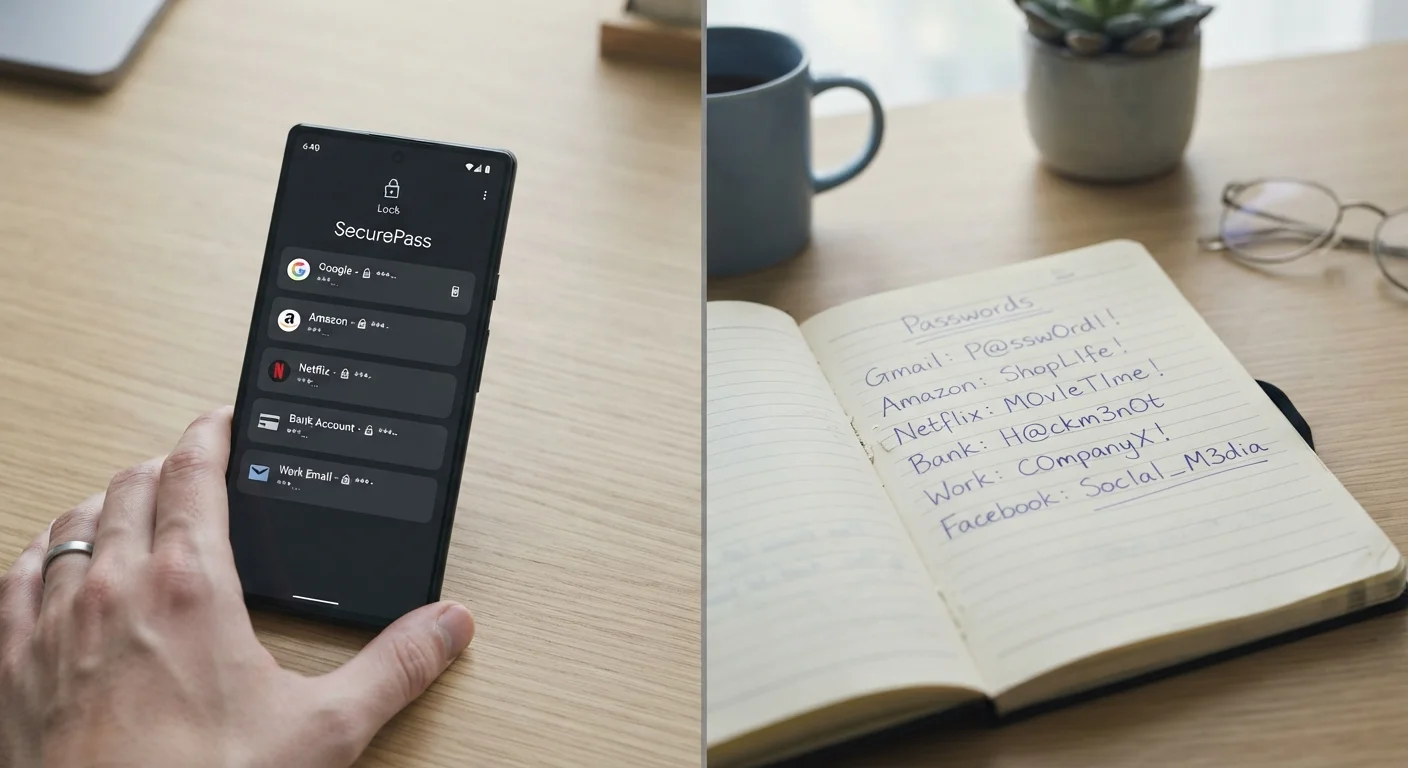
Key Takeaways
- Password managers protect against the most common online threats: data breaches, phishing, and credential stuffing.
- Written passwords are immune to remote hacking but vulnerable to physical theft, fire, or loss.
- Reusing the same password across sites is far more dangerous than either method alone.
- Two-factor authentication strengthens both approaches significantly.
- Your biggest risk isn't the storage method - it's weak or recycled passwords in the first place.
Option A
Password Manager
The encrypted, always-with-you digital vault.
Best for: Anyone managing many online accounts who wants strong, unique passwords without memorizing them.
Option B
Written Password List
The offline, low-tech fallback that never gets hacked remotely.
Best for: People with few accounts, limited tech comfort, or who primarily face digital rather than physical security risks.
If you have more than a handful of online accounts
Password Manager
A password manager lets you generate and store dozens of unique, complex passwords effortlessly - dramatically reducing the risk of one breach compromising multiple accounts.
If you have limited tech comfort and very few accounts
Written Password List
A securely stored, updated notebook is a reasonable fallback for people managing just a few accounts, as long as it's kept in a private, physically secure location.
If you're worried about remote hackers and data breaches
Password Manager
Password managers encrypt your credentials so even if the service is breached, your actual passwords are not exposed in plain text.
If you're concerned about losing access to your accounts if a device fails
Password Manager
Most reputable password managers sync across devices and offer secure recovery options, so a single failed phone doesn't lock you out permanently.
If you want a backup alongside your primary method
Written Password List
Keeping a securely stored written copy of your master password or critical account credentials can serve as an emergency backup - not a replacement - for your digital vault.
The Real Question Isn't Digital vs. Paper
Most security advice makes password managers sound like the obvious winner and writing passwords down sound almost reckless. The reality is more nuanced. Both methods have genuine strengths - and both carry specific, identifiable risks. The goal isn't to find the "perfect" system; it's to understand which risks matter most in your life and choose accordingly.
The single biggest password mistake most people make isn't how they store passwords - it's reusing the same password across multiple sites. When one company gets breached (and breaches happen constantly), attackers try those stolen credentials everywhere. That habit, more than your storage method, is what creates serious vulnerability. For a broader look at behaviors that quietly undermine account security, see common habits that make accounts easy to hack.
| Criterion | Password Manager | Written Password List |
|---|---|---|
| Protection from remote hackers | Strong - credentials encrypted at rest | Complete - offline, unreachable remotely |
| Protection from physical theft | Strong - requires master password or biometric | Weak - anyone who finds it has your passwords |
| Password strength | Excellent - generates complex, unique passwords | Often poor - humans choose simpler, writable ones |
| Scalability (many accounts) | Excellent - handles hundreds of entries easily | Poor - becomes unmanageable quickly |
| Risk if primary method fails | Account lockout if master password lost | All credentials exposed if notebook is found |
| Phishing protection | Partial - autofill won't work on fake URLs | None - you'd still type credentials into a fake site |
| Technical skill required | Low to moderate | None |
Where Password Managers Excel - and Where They Fall Short
A password manager is software (app or browser extension) that stores your login credentials in an encrypted vault, typically protected by one strong master password. The encryption means that even if the company's servers are compromised, your individual passwords aren't readable without your master key.
Key advantages: Password managers generate long, random, unique passwords for every site - the kind no human would think to create or remember. Many also alert you when a saved password appears in a known data breach, and they autofill credentials so you're less likely to be tricked by phishing sites (a fake site won't match the saved URL).
Real risks to know: If you forget or lose your master password and don't have a recovery method set up, access can be difficult to restore. A compromised device with malware could theoretically capture your master password as you type it. And if the password manager app itself has a vulnerability, it represents a concentrated target. These risks are manageable with good habits - including enabling two-factor authentication on your vault account itself.
80%+
Of breaches involving stolen credentials
Verizon's Data Breach Investigations Report has consistently found that a large majority of hacking-related breaches involve compromised or weak passwords.
100+
Average online accounts per person
Research by NordPass and similar firms estimates the average internet user manages well over 100 password-protected accounts - far too many to track manually.
Where Written Passwords Are Underrated - and Where They Aren't
Writing passwords in a notebook has one genuinely powerful property: it's completely offline. No remote attacker, no phishing kit, no data breach can reach a piece of paper in your home. For people with very few accounts - say, email, banking, and one or two others - a carefully maintained written list stored somewhere physically private is a defensible choice.
Where it breaks down: Physical documents get lost, stolen, seen by the wrong person, or destroyed. If you write passwords down, you tend to write simpler ones to make them legible - which undermines the whole point. And with dozens of accounts, a notebook becomes impossible to maintain accurately. Crossed-out entries, forgotten updates, and illegible handwriting all create their own failure modes.
A hybrid that actually works: Some security-conscious people use a password manager for most accounts and keep a written, locked-away record of just their master password and one or two critical account recovery codes. That way, the convenience and strength of digital storage combines with a physical backup for the highest-stakes credentials. Whatever system you use, doing an annual review helps catch stale or weak entries - the annual digital security audit checklist is a practical place to start.
This article is for general informational purposes only and does not constitute professional security or technical advice. Specific security needs vary by individual circumstances.
Two-Factor Authentication Changes the Equation
Whichever storage method you use, enabling two-factor authentication (2FA) on your most important accounts - email, banking, and any account tied to financial data - adds a critical second layer. Even if a password is compromised, 2FA requires a second verification step that an attacker typically can't bypass remotely. Learn more about how it works in our guide to two-factor authentication explained for everyone.